Pros
- 0-230C as listed, very flexible.
- Heats up in 2 s, seriously fast.
- 650 mAh battery with pass-through.
- 85 g, easy to carry.
- Session mode for no-fuss use.
Cons
- Small 650 mAh battery.
- No water pipe adapter.
- No app and no dosing caps.
Price Comparison (1 shops)


Last updated: 28/03/2026, 11:12 PM
* Some links are affiliate links. We earn a small commission if you purchase through these links — at no extra cost to you.
Specifications
| Heating Method | Conduction |
| Device Type | Pen |
| Brand | Yocan |
| Power Source | Battery |
| Heat-up Time | 2 seconds |
| Battery Capacity | 650 mAh |
| Weight | 85 g |
| Warranty | 1 years |
| Temperature Control | Presets |
| Material | Concentrates |
| Replaceable Battery | No |
| Passthrough Charging | Yes |
| Voltage Range | 1.8V - 4.2V |
| Thread Type | 510 |
| Preheat Function | Yes |
Source: OfficialOfficial · Verified 18.02.2026
About this vaporizer
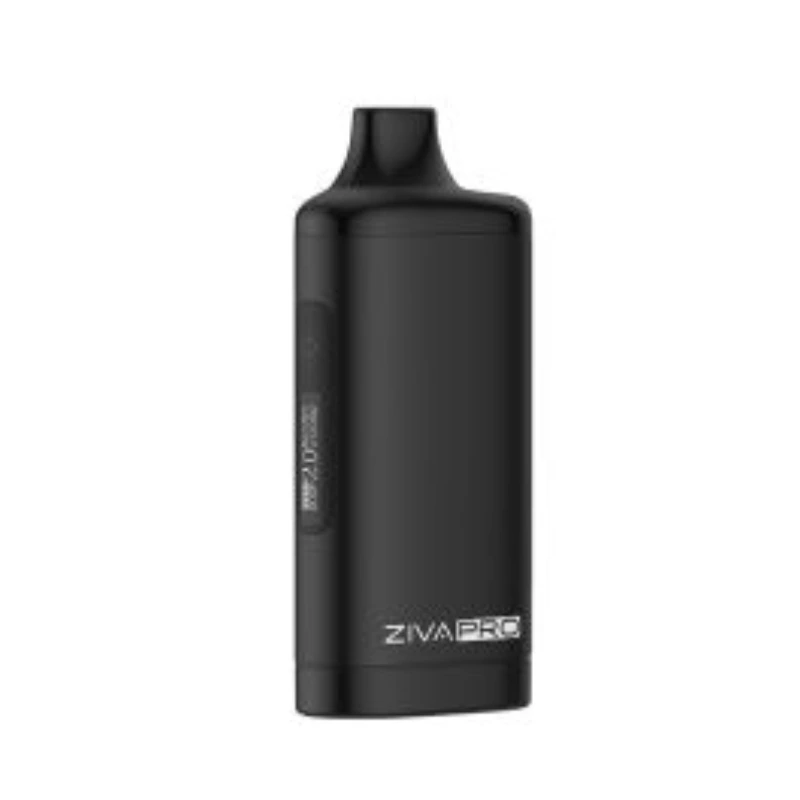
The Yocan Ziva Pro is the redesigned version of the popular Ziva — a compact 510-pen battery with a few key improvements over the base model. If you regularly use pre-loaded oil cartridges and want more control and flexibility, the Ziva Pro is a solid choice.
The biggest upgrade over the regular Ziva is the preheat mode combined with variable voltage settings. Especially with thick oils that hardly move at low temperatures, preheating is not a gimmick, but a real practical aid. With two clicks you activate the preheat mode, which briefly warms the oil and thus ensures a more even first hit. This is particularly noticeable in winter or with very viscous extracts.
The Ziva Pro's battery holds 650 mAh — more than the regular Kodo or Ziva — and the battery supports passthrough charging. This means: The device remains usable while charging. On a 510 mod this size, this is a handy bonus. The maximum output temperature is around 230 °C, which is good for standard oil cartridges.
Variable voltage control is achieved via a push button that switches between three levels. Low, medium, high — that doesn't sound like much, but it's more than enough for most users. If you want to run certain cartridges at the right heat level, you can quickly find out by simply trying them out. The heat-up time of around 2 seconds is quick and responsive like other Yocan mods.
The body is slim and lightweight, with a solid screw thread for 510 cartridges. Magnetic adapters are sometimes included in the scope of delivery, depending on the variant. The one-year warranty is standard. The Ziva Pro is not a device for technically savvy users looking for maximum output - it is a well-thought-out everyday pen for uncomplicated oil enjoyment with a little more comfort than the absolute basic model.
- 0-230C as listed, very flexible.
- Heats up in 2 s, seriously fast.
- 650 mAh battery with pass-through.
- 85 g, easy to carry.
- Session mode for no-fuss use.
- Small 650 mAh battery.
- No water pipe adapter.
- No app and no dosing caps.
The Yocan Ziva Pro is a 510-thread battery mod with an OLED display and touch controls from Yocan. Its 650 mAh battery, variable voltage from 1.8 V to 4.2 V, and preheat function set it apart from basic pen batteries. The compact metal body weighs just 85 g. Find the lowest price in our Yocan Ziva Pro price comparison.
OLED display and touch controls
What separates the Ziva Pro from simple stick batteries is its OLED screen. It shows voltage, battery percentage and a draw counter in real time. Instead of physical buttons there are touch-sensitive pads that respond to a light tap. Voltage adjusts steplessly from 1.8 V to 4.2 V, giving you precise control for different cartridges and oil types.
Preheat function and auto-draw
A 10-second preheat mode gently warms the oil without activating the compounds. Thick concentrates get evenly loosened up before you take a draw. In auto-draw mode the heater fires automatically when you inhale – no button press needed. If you prefer manual control, button mode is available too.
Magnetic connection and build quality
Cartridges attach via magnets instead of threading. That speeds up swaps and prevents thread wear. The zinc-alloy metal body feels solid in the hand. At 85 g it stays pocket-friendly despite the premium build. Passthrough charging lets you vape while the device is plugged in.
Battery performance in daily use
The 650 mAh battery delivers roughly 200 to 300 draws per charge. USB-C charging brings it back to 100 % in about 45 minutes. Compared to simpler pen batteries, the Ziva Pro lasts noticeably longer because the voltage regulation uses energy more efficiently.
Ziva Pro vs. basic pen batteries
Over simple 510 sticks without a display, the Ziva Pro offers three clear upgrades: first, stepless voltage adjustment instead of fixed presets; second, an OLED screen with battery level and draw stats; third, the preheat function for thicker oils. If you want to get the most out of your cartridges, this gives you noticeably more control.
Ziva Pro vs Uni 3.0
Both are Yocan 510 mods, but the Uni 3.0 has an adjustable cartridge holder for different diameters. The Ziva Pro uses an internal bay where the cartridge hides completely -- more discreet but less flexible with oversized carts.
Displays are similar: OLED, puff counter, voltage readout. Similar weight and battery (650 mAh each).
Preheat for Thick Oils
The preheat function warms the cartridge for 10 seconds at low voltage. This loosens thick oils and prevents dry hits -- especially useful in cold weather when oils thicken.
Magnetic Adapter
Cartridges attach via magnetic adapter -- no screwing. Quick swaps, reliable hold even in a pocket. A second adapter is included for pre-loading two cartridges.
OLED Display Features
The Ziva Pro features a small OLED screen on the front that shows the current voltage, battery level, and puff count in real time. Unlike devices that rely on LED color codes, the numeric display removes any guesswork — you see exactly where your settings are at a glance.
The screen turns off after a few seconds of inactivity to save battery. Five clicks of the power button lock the device, and the display briefly flashes a lock icon to confirm. This prevents accidental firing in a bag or pocket.
Comments
No comments yet. Be the first!
Sign in to comment